Each webhook delivery includes a short-lived signed JWT in the standard HTTP Authorization header. Your server can verify the signature with the webhook public key shown in Atonom so you know the request originated from us. The delivery service sets the header like this:
Authorization: Bearer <jwt>

How verification works

  1. Read the bearer token from Authorization (scheme Bearer, case-insensitive).
  2. Verify the JWT using your webhook RSA public key in PEM form (-----BEGIN PUBLIC KEY-----). The token is signed with PS256 (RSA-PSS with SHA-256).
  3. Validate claims after verification succeeds:
    • exp: token expiry (tokens are valid for a short window, currently five minutes from issuance).
    • iat: issued-at time (optional sanity check vs your server clock).
    • tenant_id: Atonom tenant that sent the event. You can compare this to the tenant_id field in the JSON body of the same request for consistency.
The JWT payload is not encrypted; only the signature proves authenticity.

Get your webhook public key

  1. Log in to your Atonom account at https://app.getsignals.ai
  2. Navigate to https://app.getsignals.ai/#/settings/security
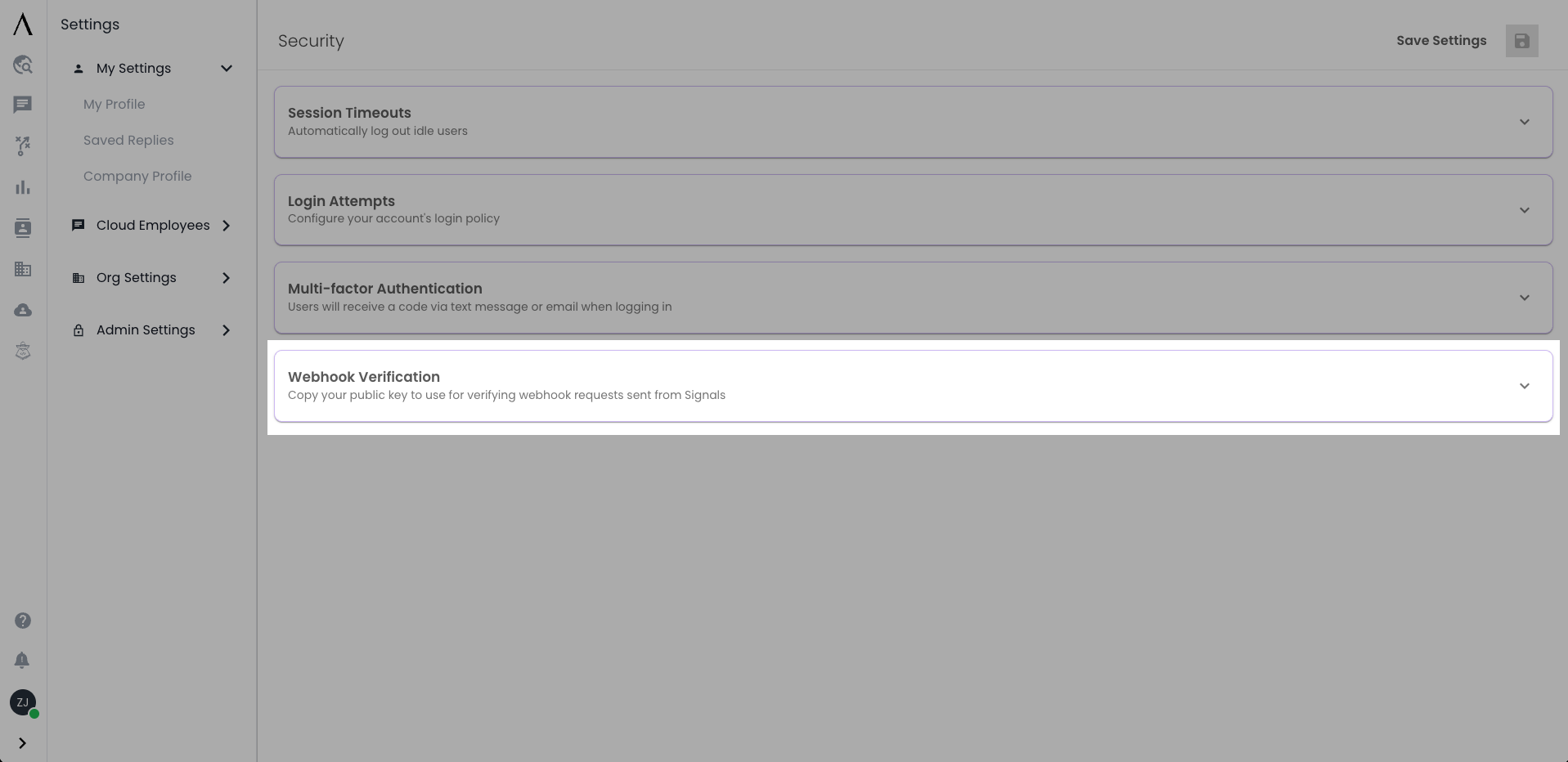
  3. Open the accordion card titled Webhook Verification Atonom Security Page
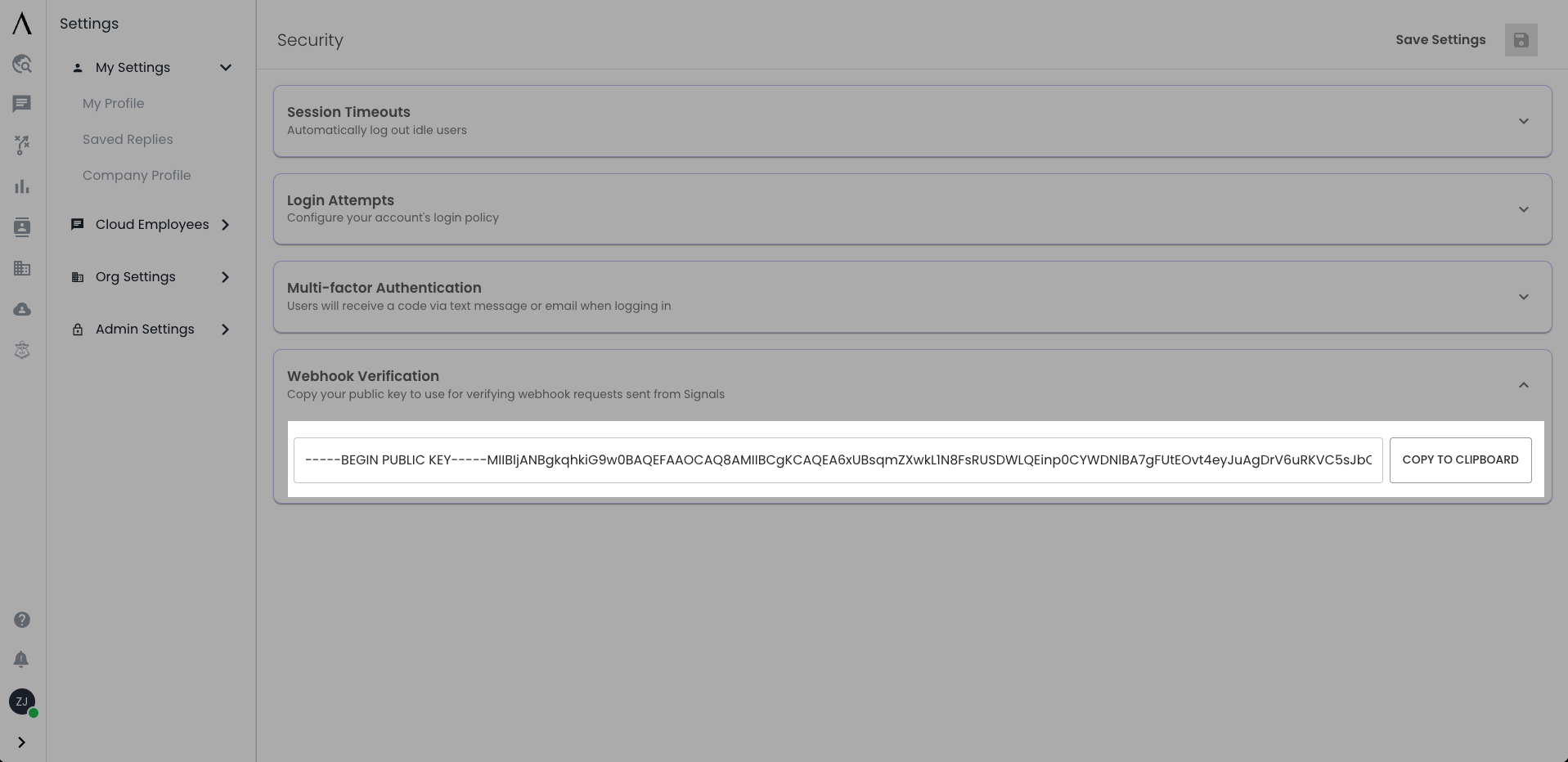
  4. Copy the public key (PEM text) Atonom Security Webhook Card Open

Example: JavaScript (Node.js)

Use a library that supports PS256, for example jose:
npm install jose
import * as jose from "jose";

const WEBHOOK_PUBLIC_KEY_PEM = process.env.ATONOM_WEBHOOK_PUBLIC_KEY; // full PEM string

/**
 * @param {import('http').IncomingMessage | { headers: Record<string, string | string[] | undefined> }} req
 * @returns {Promise<jose.JWTPayload>}
 */
export async function verifyAtonomWebhook(req) {
  const raw = req.headers["authorization"] ?? req.headers["Authorization"];
  const auth = Array.isArray(raw) ? raw[0] : raw;
  if (!auth || typeof auth !== "string") {
    throw new Error("Missing Authorization header");
  }
  const m = auth.match(/^Bearer\s+(.+)$/i);
  if (!m) {
    throw new Error("Authorization must be a Bearer token");
  }
  const token = m[1].trim();

  const publicKey = await jose.importSPKI(WEBHOOK_PUBLIC_KEY_PEM, "PS256");

  const { payload } = await jose.jwtVerify(token, publicKey, {
    algorithms: ["PS256"],
    clockTolerance: 60, // seconds; optional, helps with clock skew
  });

  return payload;
}

Example: Python

Use PyJWT with the cryptography backend so PS256 is available:
pip install PyJWT cryptography
import os
import re
import jwt
from cryptography.hazmat.primitives import serialization
from cryptography.hazmat.backends import default_backend

WEBHOOK_PUBLIC_KEY_PEM = os.environ["ATONOM_WEBHOOK_PUBLIC_KEY"]  # full PEM string

_bearer_re = re.compile(r"^Bearer\s+(.+)$", re.IGNORECASE)


def verify_atonom_webhook(authorization_header: str | None) -> dict:
    if not authorization_header:
        raise ValueError("Missing Authorization header")
    m = _bearer_re.match(authorization_header.strip())
    if not m:
        raise ValueError("Authorization must be a Bearer token")
    token = m.group(1).strip()

    public_key = serialization.load_pem_public_key(
        WEBHOOK_PUBLIC_KEY_PEM.encode("utf-8"),
        backend=default_backend(),
    )

    payload = jwt.decode(
        token,
        public_key,
        algorithms=["PS256"],
        options={"require": ["exp", "iat", "tenant_id"]},
        leeway=60,  # seconds; optional clock skew tolerance
    )

    return payload

If verification fails, respond with 401 Unauthorized (or reject the connection in your framework’s idiomatic way) and do not treat the payload as trusted.