

Overview
Integration connectors let your organization extend Atonom without waiting on a first-party integration. You define how Atonom calls your infrastructure so Cloud Employees, workflows, and other parts of the app can exchange data and trigger behavior on systems you control. Typical uses include syncing CRM or ticketing data, running custom business logic when an employee reaches a step in a flow, or bridging Atonom to internal APIs.How it works
- Create a connector in Atonom — Register a connector in the dashboard so Atonom knows it exists and can route traffic to it.
- Configure actions — For each action, point Atonom at the HTTP/GRPC endpoints on your server that should run when that action is invoked.
- Implement your endpoints — Handle incoming requests using the contract documented in the API reference (authentication, payloads, and response shapes).
Step 1: Create a connector in the app
In the Atonom application, navigate to your integrations page within your settings. Then click on the Integration Connectors tab, and choose Create connector and complete the required fields—such as a name and description—so the connector appears in your organization.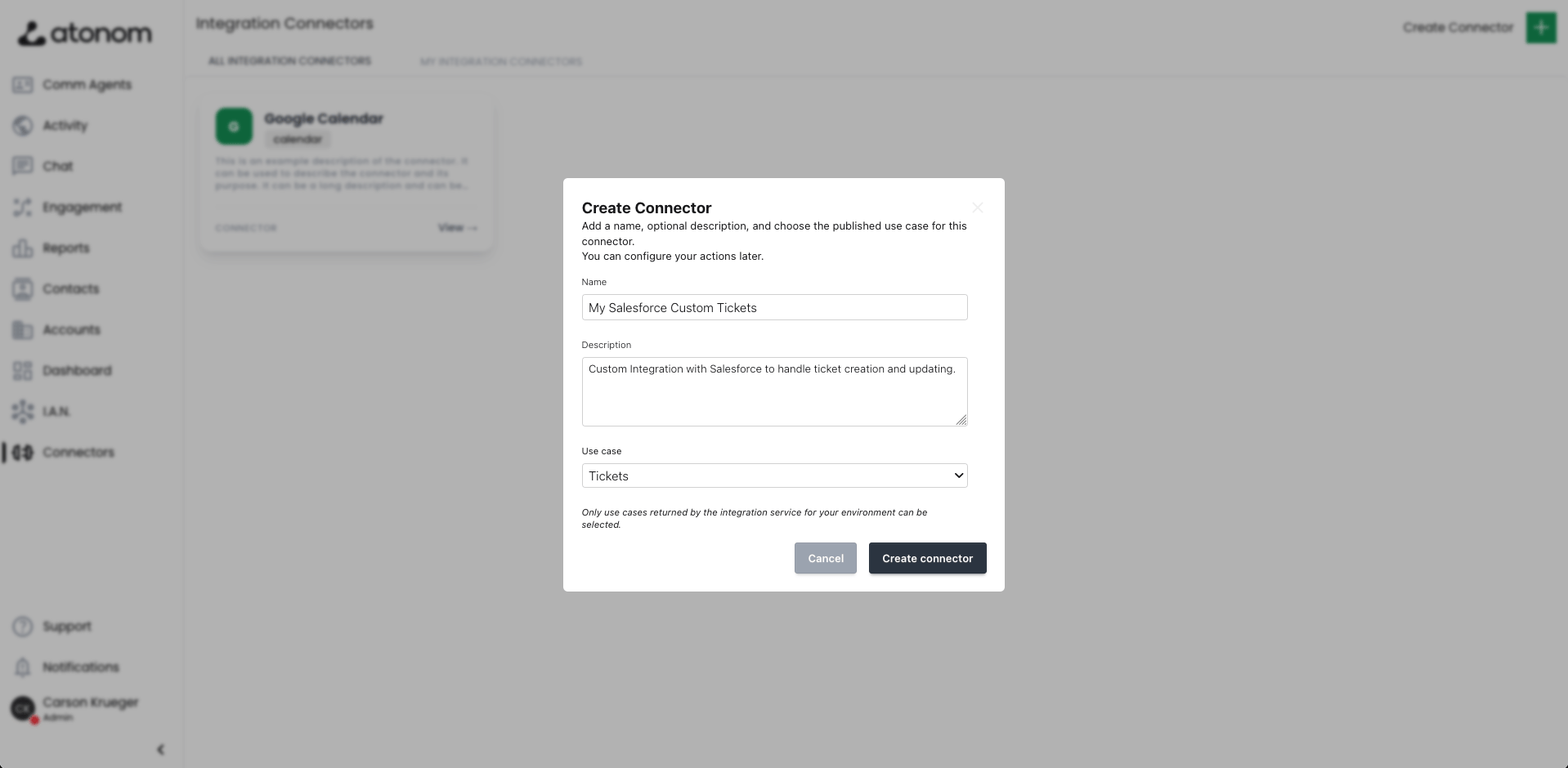
Step 2: Point connector actions to your server
Each action represents something Atonom can invoke—for example when a Cloud Employee hits a step in a workflow or when another part of the product triggers that integration. In the connector settings, define each action and set the base URL or endpoint that should receive HTTP/GRPC requests from Atonom. Requests are sent to your servers, so your team controls availability, scaling, and validation. Ensure endpoints use TLS and follow the request and response formats described in the reference.Step 3: Implement actions using the connector reference
To build compatible handlers, use the Integration Connectors tab in this documentation. It describes how Atonom calls your endpoints, including security expectations and payload schemas, so you can implement actions confidently.Integration Connectors reference
Open the Integration Connectors reference for endpoint contracts and examples.